
Entertainment
How Long Do Netflix Downloads Last in 2026?

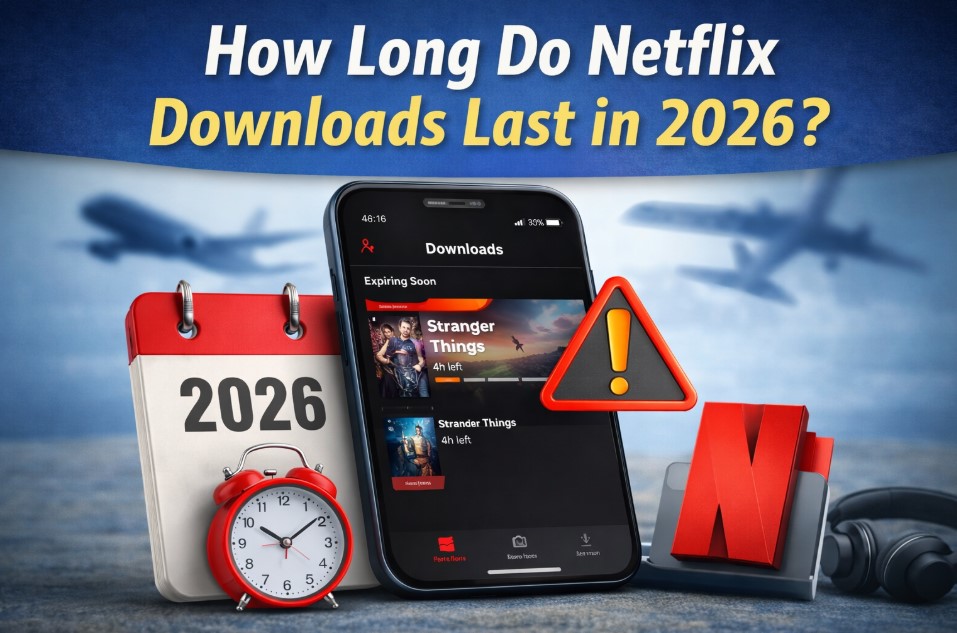
Watching shows and movies offline has become a normal part of how people use streaming apps. Whether someone is traveling, commuting, or saving mobile data, downloads are useful. Many users still ask how long downloaded content stays available before it expires. In 2026, the rules around offline viewing remain similar to previous years, but there are important details every user should understand to avoid surprises.
This guide explains how downloads work, how long they last, what causes them to expire, and how to manage them properly so you can keep watching without interruptions on Netflix.
How Netflix Downloads Work
Netflix allows users to download select movies and TV episodes to supported devices. Downloads are stored inside the Netflix app, not as regular video files. This means they cannot be shared, moved, or played outside the app. Downloads are tied to your account, your subscription status, and the licensing agreements Netflix has with content owners.
Not every title is available for download. Availability depends on region, licensing, and content type. Most Netflix original content is downloadable, while some licensed shows and movies are not.
General Download Expiration Rules in 2026
In 2026, Netflix downloads follow two main expiration timelines. The exact time depends on the title and how it is used.
Some downloads expire a certain number of days after you download them. Others expire a fixed number of days after you start watching them for the first time. These limits are set by content licensing agreements rather than by Netflix itself.
Here is how it usually works:
- Many downloads last between 7 and 30 days if you do not press play
- Some titles expire 48 hours after you start watching
- Certain movies expire even sooner due to licensing restrictions
Netflix clearly shows expiration details inside the app for each downloaded title.
What Happens When a Download Expires
When a download expires, the title becomes unplayable. The file still appears in your downloads list, but you will see an expiration notice. At that point, you must reconnect to the internet to renew the download, if renewal is allowed.
If a title is no longer available on Netflix, it cannot be renewed even if you previously downloaded it. Expired downloads do not automatically renew without an internet connection.
Differences Between Movies and TV Shows
Movies and TV shows follow similar rules, but there are some differences worth noting.
Movies often have stricter expiration limits because they are usually licensed for shorter periods. Some movies expire within a week if not watched. Others allow up to 30 days before expiring.
TV shows usually allow more flexibility. Individual episodes may expire after a set number of days, but if the show remains available, you can usually re-download episodes easily. Episodes you have already watched may expire faster than unwatched ones.
How Starting Playback Affects Download Duration
Starting playback changes how long a download lasts. For many titles, once you press play, a new countdown begins. This countdown is often 48 hours, though it can vary.
This means you should avoid starting a download unless you plan to finish it within the allowed window. Pausing a show does not stop the expiration timer once playback has started.
Device Limits and Download Restrictions
Netflix places limits on how many devices can store downloads at the same time. These limits depend on your subscription plan.
In 2026, most plans allow downloads on between one and six devices. If you reach your device limit, you must delete downloads from one device before downloading on another.
Each device stores its own downloads separately. Deleting the app or signing out removes all downloaded content from that device.
Offline Viewing Time Without Internet
Netflix downloads are designed for temporary offline viewing. However, the app still needs to verify your account occasionally.
If you stay offline for too long, some downloads may become unavailable even if their expiration date has not passed. This is because the app needs to confirm that your subscription is active.
To avoid this issue, it is recommended to connect to the internet at least once every few days if you are using offline viewing heavily.
How Subscription Status Affects Downloads
Your subscription must remain active to watch downloaded content. If your subscription ends or is paused, all downloads become unplayable until your account is active again.
Once you renew your subscription, you may need to reconnect to the internet to refresh your downloads. In some cases, you may need to re-download titles.
Regional Travel and Download Validity
Traveling between countries can affect downloads. Netflix libraries vary by region, and licensing rules change accordingly.
If you download content in one country and travel to another, the downloaded titles usually remain playable for a limited time. However, if the title is not available in the new country, it may expire sooner or become unavailable once it needs to refresh.
Netflix recommends downloading content in the region where you plan to watch it whenever possible.
Managing Download Quality and Storage
Download quality affects storage space but does not change expiration rules. Higher-quality downloads take more space and may be slower to download.
Netflix allows users to choose between standard and higher quality downloads in app settings. Choosing the right quality helps manage device storage, especially for longer trips.
Deleting watched or expired downloads regularly helps avoid storage issues and confusion.
Tips to Make Downloads Last as Long as Possible
While you cannot control licensing rules, you can manage how you use downloads to avoid losing access too soon.
Helpful tips include:
- Download content close to the time you plan to watch it
- Avoid pressing play until you are ready to continue watching
- Check expiration notices inside the app regularly
- Reconnect to the internet periodically to refresh downloads
- Keep your app updated to avoid playback issues
These steps reduce the chance of downloads expiring unexpectedly.
How Netflix Displays Expiration Information
Netflix clearly shows expiration warnings inside the Downloads section of the app. You may see messages such as “Expires in 3 days” or “Expires in 48 hours after you start watching.”
If a download is about to expire, Netflix may also send a notification if notifications are enabled on your device.
Always review these notices before going offline for long periods.
Are Download Rules Changing in 2026?
As of 2026, Netflix has not announced major changes to its download expiration policies. The system remains based on licensing agreements and device verification.
However, Netflix continues to update its app features, so minor improvements in download management and notifications may appear over time. Staying updated ensures you see the latest information and options.
Final Thoughts on Netflix Downloads in 2026
Netflix downloads are a useful feature, but they are not permanent. Downloaded content is meant for short-term offline viewing and comes with clear expiration limits. Understanding how long downloads last, what triggers expiration, and how to manage them helps avoid frustration.
By paying attention to expiration notices, keeping your subscription active, and downloading content at the right time, you can make the most of offline viewing in 2026 without unexpected interruptions.
Check out: The Most Frequent Netflix Issues and Its Solutions



Choosing Estal: When Standard Glass Actually Helps Your Brand

Large Format Kitchen Tiles: Redefining Space and Visual Continuity

The Full Breakdown: What International Travel Insurance Covers in Medical Emergencies?

What Exactly Happens After a Peace Bond Expiration?