Programming
Broken Keyboard Grok Answer: How to Understand and Solve the Coding Problem

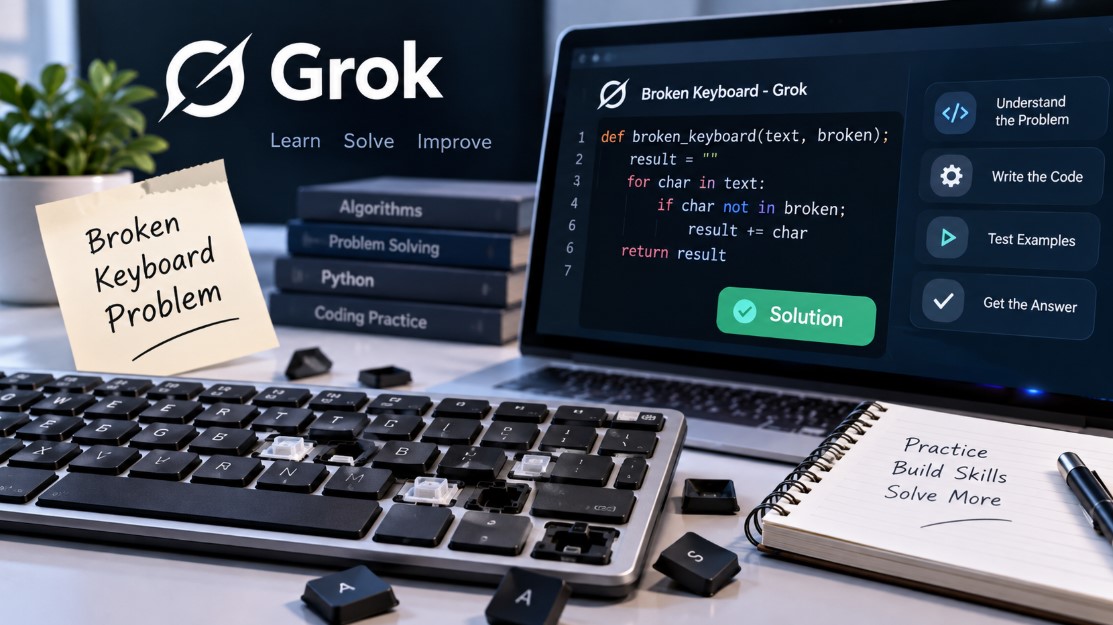
If you searched for “broken keyboard Grok answer,” you are probably trying to understand the Broken Keyboard coding problem found on Grok Academy/Grok Learning. The challenge is designed to test basic programming skills, particularly how you work with text, characters, loops, conditions, and strings.
Grok Academy has an achievement specifically associated with completing the Code.Comp Broken Keyboard problem, confirming that it is part of its programming activities.
Instead of simply copying an answer, it is useful to understand what the challenge is asking you to do. Once you understand the logic, the code itself becomes much easier to write and debug.
What is the Broken Keyboard Grok Problem?
The Broken Keyboard problem is a programming exercise in which you have to work out how text should be handled when one or more keyboard keys do not work correctly.
The exact instructions, input format, and expected output can differ depending on the Grok course or version of the exercise you are completing. For that reason, you should always use the instructions and examples shown in your own Grok activity as the final authority.
The main idea usually involves processing characters in a string and deciding which characters should appear in the final result.
This type of problem tests several fundamental programming concepts:
- Reading and storing input
- Working with strings
- Examining individual characters
- Using loops
- Applying if conditions
- Building an output string
- Testing code against different inputs
These skills are important because similar logic appears in many other programming exercises.
Understanding the Problem Before Writing Code
A common mistake is to start typing code immediately.
First, determine exactly what the program receives and what it must return.
For example, imagine that a program receives a piece of text and information about keys that cannot be used. The program may need to examine the text one character at a time and decide whether each character should remain.
The logic can be expressed in simple steps:
- Read the input.
- Identify the relevant broken key or keys.
- Examine each character.
- Apply the condition required by the challenge.
- Add valid characters to the result.
- Print or return the result.
Writing these steps before coding makes the problem much easier to understand.
A Simple Python Example
The following is a general educational example of the type of string-processing logic that can be useful for a broken-keyboard problem. It is not intended to reproduce a specific assessed Grok answer.
def remove_broken_keys(text, broken):

    result = ""

    for character in text:

        if character not in broken:

            result += character

    return result
Suppose we use:
text = "keyboard"

broken = "a"
The program examines each character in keyboard.
When it reaches a, the condition determines that the character belongs to the collection of broken keys, so it is not added to the output.
The result would therefore be:
keybord
This demonstrates the core programming idea: inspect each character and make a decision based on a condition.
Your actual Grok question may require different behavior, so adjust the logic according to the instructions provided in the exercise.
How the Code Works
Understanding every part of the code is more valuable than memorizing it.
The function begins with:
result = ""
This creates an empty string where accepted characters will be stored.
Next comes the loop:
for character in text:
Python now processes the input one character at a time.
The condition is:
if character not in broken:
This asks whether the current character is absent from the collection of broken keys.
If it is allowed, this line runs:
result += character
The character is added to the result.
Finally:
return result
returns the processed string.
This pattern of loop → test → store → return is useful in many beginner programming challenges.
Why Your Grok Answer May Be Marked Wrong
A program can look correct and still fail automated tests. Coding platforms normally test submissions against several inputs rather than only the example visible on the screen.
One frequent issue is case sensitivity.
Python treats:
A
and:
a
as different characters.
If the problem requires case-insensitive comparison, you may need to normalize the characters before comparing them. However, you should only do this when the exercise specifically requires it.
Spaces can cause similar problems. Consider:
hello world
A program that incorrectly removes or changes spaces could produce an unexpected result.
Punctuation may also be tested:
hello, world!
Your program needs to handle commas, exclamation marks, numbers, and other characters according to the stated rules.
Another common problem is output formatting. Automated graders can be strict. Extra text such as:
The answer is:
may cause a failure if Grok expects only the processed value.
Common Mistakes to Check
If your broken keyboard Grok answer is not passing, check the following before completely rewriting it.
First, compare your output with the expected output character by character. Look for extra spaces, missing characters, capitalization differences, or unnecessary text.
Next, verify your loop. Make sure every required character is being examined.
Then check the condition. A small difference between in and not in can completely reverse the behavior of a program.
You should also test more than one input. A solution that works for a single example is not necessarily correct.
For example, consider cases involving:
abc

AAAA

hello world

12345

a-b-c
You should also consider what happens when no relevant character exists or when the input is empty, if the challenge permits empty input.
Using a Set for Multiple Broken Keys
If you need to check several broken keys, a set can be useful.
For example:
broken = {"a", "e", "i"}
You can then check:
if character not in broken:
Membership checks in a set are efficient and the code remains easy to read.
For a small beginner exercise, the performance difference may not matter much, but learning about sets is useful for larger programming problems.
Pseudocode for the Broken Keyboard Problem
If you are having difficulty writing Python, start with pseudocode.
START

read the text

read the broken keys

create an empty result

for every character in the text

    if the character is allowed

        add it to the result

display the result

END
Pseudocode removes Python syntax from the problem and lets you concentrate on the actual logic.
Once the logic makes sense, translate each instruction into Python.
Check out: How to Become a Beginner Programmer from Scratch
What Skills Does the Challenge Teach?
The Broken Keyboard exercise is useful because it combines several beginner concepts in one small problem.
String traversal teaches you how programs examine text. Conditions teach the program to make decisions. Variables allow information to be stored, while loops prevent you from having to write the same operation repeatedly.
It also introduces an important programming habit: testing edge cases.
A solution should not work only for the sample provided by the course. It should follow the underlying rule so that it also works with other valid inputs.
This is usually why automated programming platforms provide multiple hidden tests.
Is Broken Keyboard Related to Grok AI?
The word “Grok” can cause some confusion because it is now strongly associated with xAI’s Grok chatbot.
The coding exercise discussed here is associated with Grok Academy/Grok Learning. Grok Academy describes itself as an Australian educational organization focused on digital technologies education and provides coding and programming learning resources.
So, when someone searches for a broken keyboard Grok answer in this context, they may be looking for help with the programming exercise rather than asking the Grok AI chatbot about a physically damaged keyboard.
How to Get the Correct Answer for Your Version
There may not be one piece of code that can safely be treated as the answer to every Broken Keyboard exercise.
Read the exact problem statement carefully and identify:
- What input is supplied?
- What represents a broken key?
- What should happen when that character occurs?
- Is capitalization important?
- Should spaces and punctuation remain?
- What exact output format is required?
Then build your program around those rules.
If your code fails, use the failed test information provided by Grok to compare the expected result with your actual result.
Changing one part at a time also makes debugging easier. If you change the loop, condition, input handling, and output simultaneously, you may not know which change fixed or created the problem.
Frequently Asked Questions
What is the broken keyboard Grok answer?
It refers to a coding challenge associated with Grok Academy’s programming activities. The exact solution depends on the version and instructions of the exercise. Grok Academy publicly lists a Code.Comp Broken Keyboard achievement.
Why does my answer work for the example but fail Grok tests?
Hidden tests may contain different capitalization, spaces, punctuation, repeated characters, or other valid inputs. Your program needs to implement the general rule rather than reproduce only the example.
What Python concepts should I understand?
Focus on strings, for loops, if statements, membership operators such as in and not in, variables, and input/output handling.
Should I copy a complete answer?
Understanding the algorithm is more useful. Once you understand how to inspect characters and apply the required condition, you can adapt the solution to the exact exercise you have been assigned.
Final Thoughts
The Broken Keyboard Grok problem becomes much easier once you separate the problem into small steps. Identify the input, determine how broken keys affect the text, process each character, and generate exactly the output requested.
If your first solution fails, check capitalization, spaces, punctuation, conditions, and output formatting before starting again. These small details are common reasons beginner programs fail automated tests.
More importantly, understand why each line of your program exists. The same string-processing and conditional logic used here can help you solve many other programming exercises.
Read more: Are Online Coding Classes for Kids Worth It?



Top Movies and TV Shows in the US: JustWatch September 2026 Streaming Charts

5 Best Indoor Air Quality & Mold Companies in Houston (2026)

The Spreadsheet Habit That Quietly Breaks Business Dashboards as Teams Scale

The White Lotus Season 4 in France: Filming Locations, Cast, Plot and 2027 Release Date

Marie-France Ward: Fred Ward’s Wife, Marriage, Family, Age and Life After His Death
-

 Celebrity1 month ago
Eileen Gu: Age, Parents, 2026 Olympics, Modeling Career, Height and Personal Life
-

 Tech1 month ago
18Moa – Website Directories, Online Discovery, and Safer Browsing
-

 Animals1 month ago
Understanding the American XL Bully Ban in the UK: Rules and Changes in 2026
-

 Finance2 months ago
Is $48 an Hour Good in Austin? Salary, Living Costs, and What It Means in 2026